Track what's new in DojoExpert:
New version of mobile app "DojoExpert"
October 23, 2026
We've released a new version (9.0) of the DojoExpert mobile app!
New features include:
- A fresh, modern design
- Easier attendance tracking
- Self check-in with automatic class detection — no need to switch between classes
- A list of recent check-ins with access to member profiles
- The ability to add and update class schedules
- A calendar view in the scheduler
- Tools to manage events, registration forms, and registrants
- Belt promotions with requirements for the next belt
- Tools to manage competition results and match records
- Other visual updates and improvements
View screenshots and changes
New version of the members mobile app "Dojo Login"
October 01, 2026
We've released a new version of the Dojo Login mobile app!
New features include:
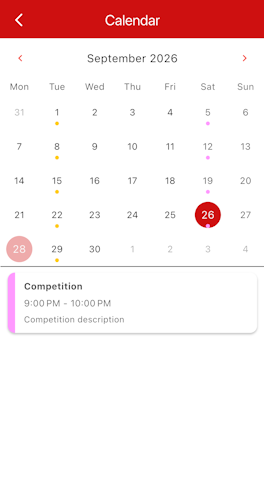
- New calendar view
- Class and events bookings inside Calendar
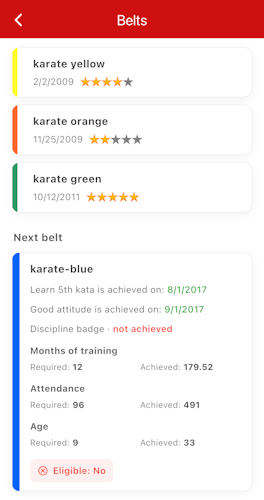
- New Belts screen
- Support for two-color belts (coming later this month in DE)
 Download Dojo Login mobile app
New version of the mobile app ready for beta testing
September 05, 2026
We've released a new version of the DojoExpert mobile app!
Find out what's new and how to test the new version by following the instructions on this page:
Download and test the new DojoExpert mobile app
Stripe subscriptions update
July 28, 2026
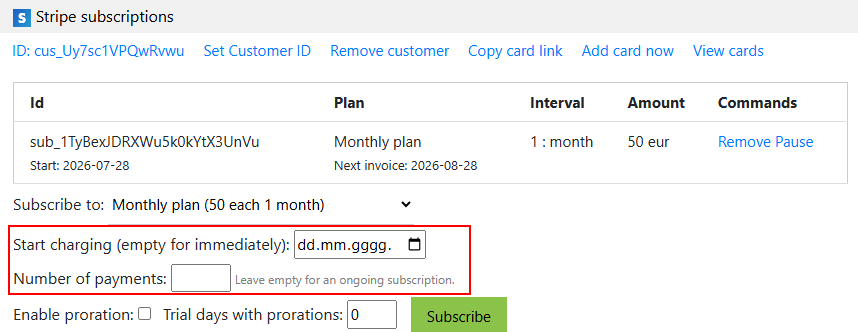
When subscribing a member to a Stripe plan, you can now:
- set the billing start date
- set the number of payments
This lets you control when the subscription starts and ends.
Registration forms for competitions
December 23, 2025
In the competitions section, you can now:
- create competition registration forms
- invite members to confirm attendance at a competition
- invite members to register for a category
- generate invoices for competition fees
- generate draws (if you are the competition organizer)
Check out our video tutorials about these exciting features!
Competition matches
September 13, 2025
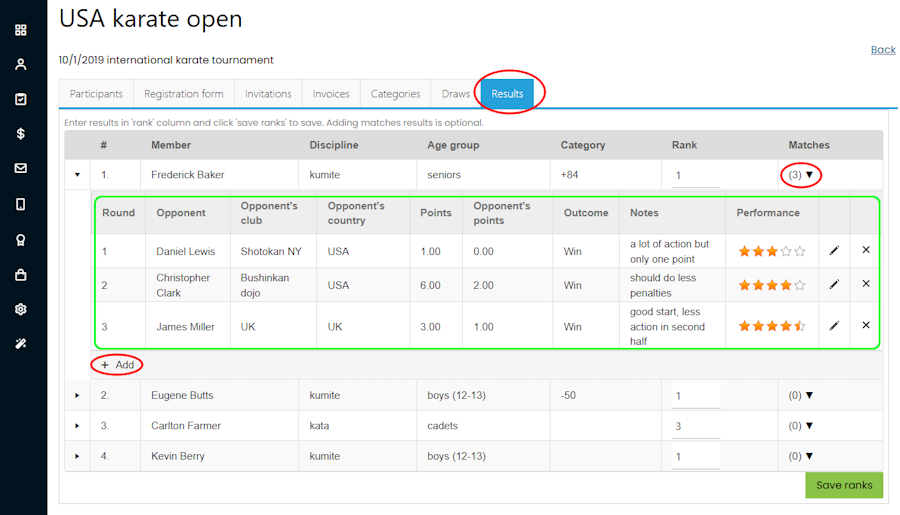
In the competition results section, you can now:
- store match results
- store opponent information
- store performance scores and comments for each match
- access match statistics
Go to "competition", open the "Results" tab, and click the arrow in the "Matches" column to add matches for a selected competitor:
You can access the statistics report in two places: by clicking the small cup icon in the 'Participants' tab, or by clicking the three-dots icon in a member's profile:
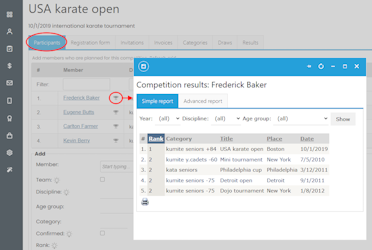
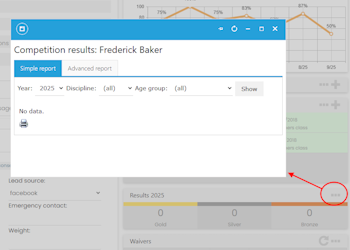
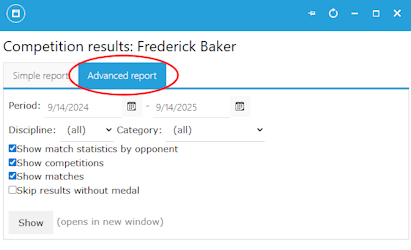
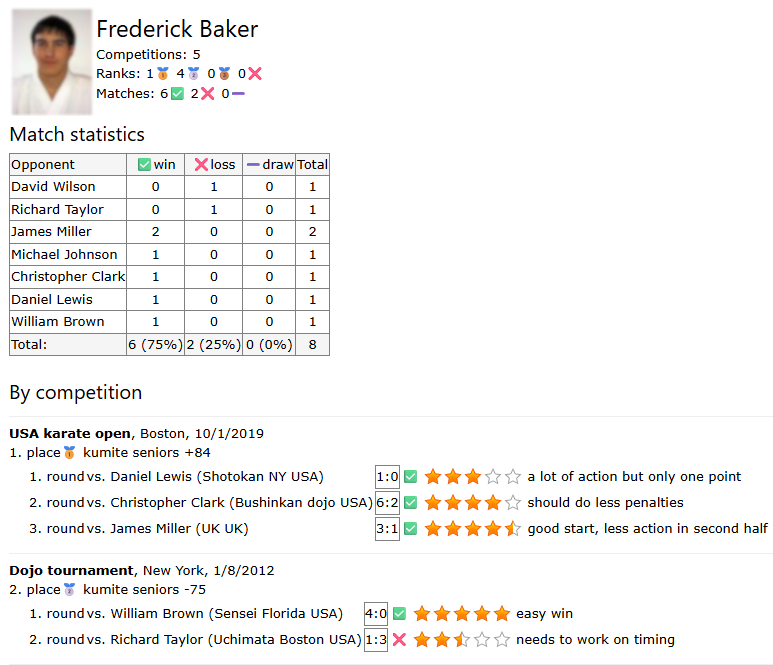
The advanced report provides this view for each member:
Instructor payouts update
February 1, 2025
Instructor payout management is now easier to use. We have also added a tutorial:
Instructor management tutorial
Dojo Login update
January 9, 2025
The new version of the Dojo Login student app supports:
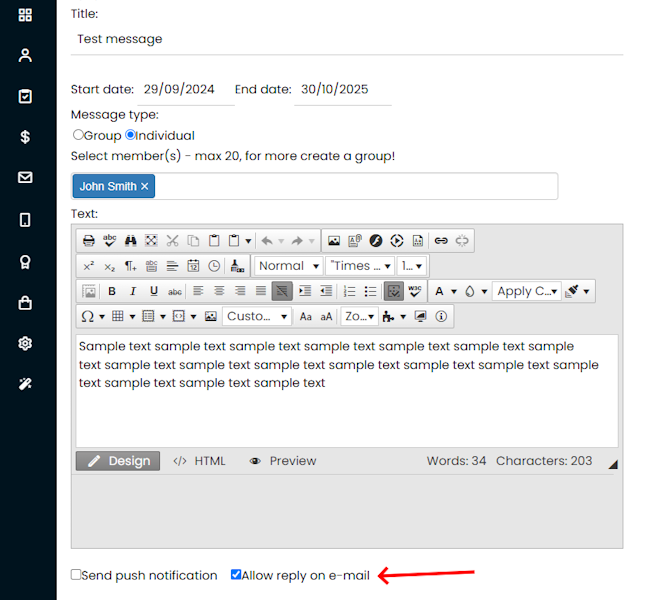
- Replying to messages on the message board
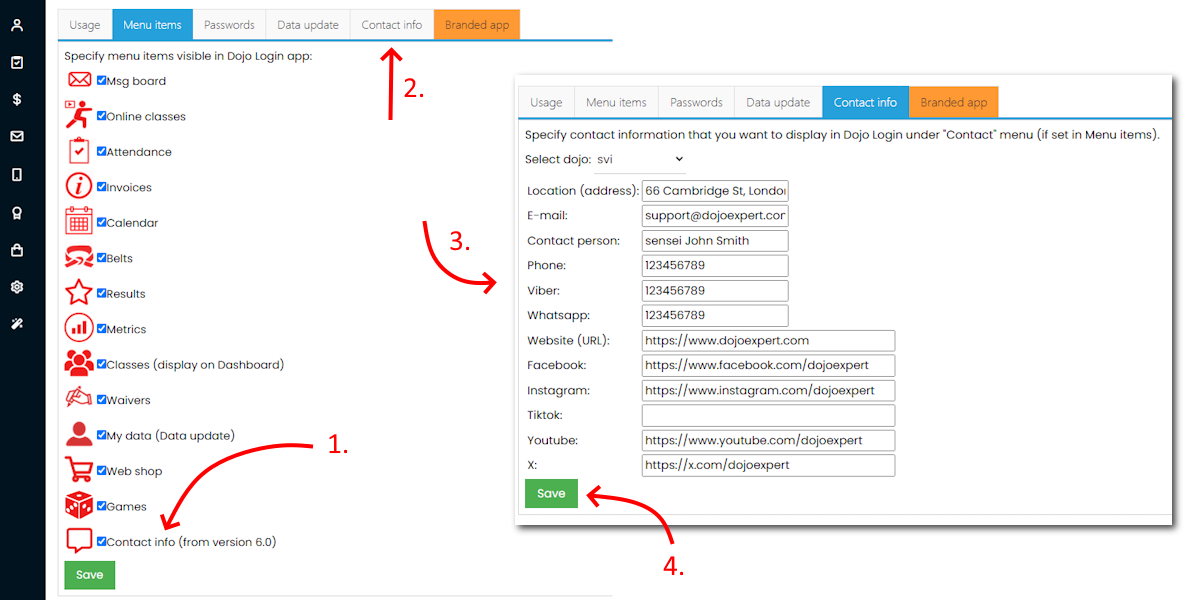
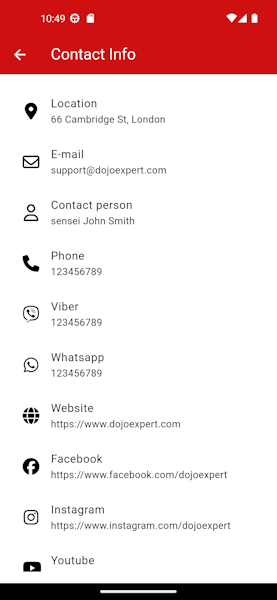
- Displaying contact data with links to messaging apps and social media platforms
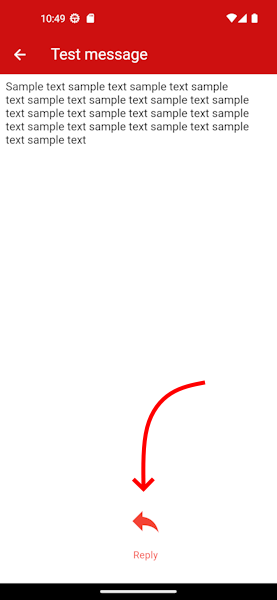
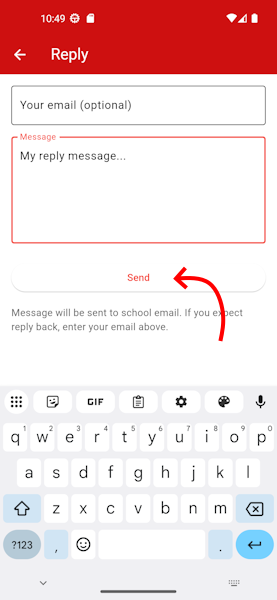
You can now enable replies for each message on the message board. A "Reply" icon appears at the bottom of the message, letting students send a reply to your email address.
To display contact details and social media links, enable the "Contact" menu in Dojo Login settings and add your details on the "Contact" tab. Tapping an address opens Google Maps. Tapping a Viber, WhatsApp, or social media link opens the corresponding app on the device.
Stripe update
August 25, 2024
Better management of Stripe subscriptions with these enhancements:
- New “Stripe subscriptions” page under the Invoices menu
- View Stripe subscription statuses
- Add and remove subscription plans
- View recent charges
- View failed charges
- Bind existing Stripe customers to DojoExpert
- Use Stripe subscriptions in booking forms
- Bulk actions
Take a look at our updated Stripe tutorial.
Class comments & feedback
July 11, 2024
Add comments for each member and class from the attendance list or member profile. Keep comments internal for you and your instructors, or share them as class feedback on the Dojo Login message board.
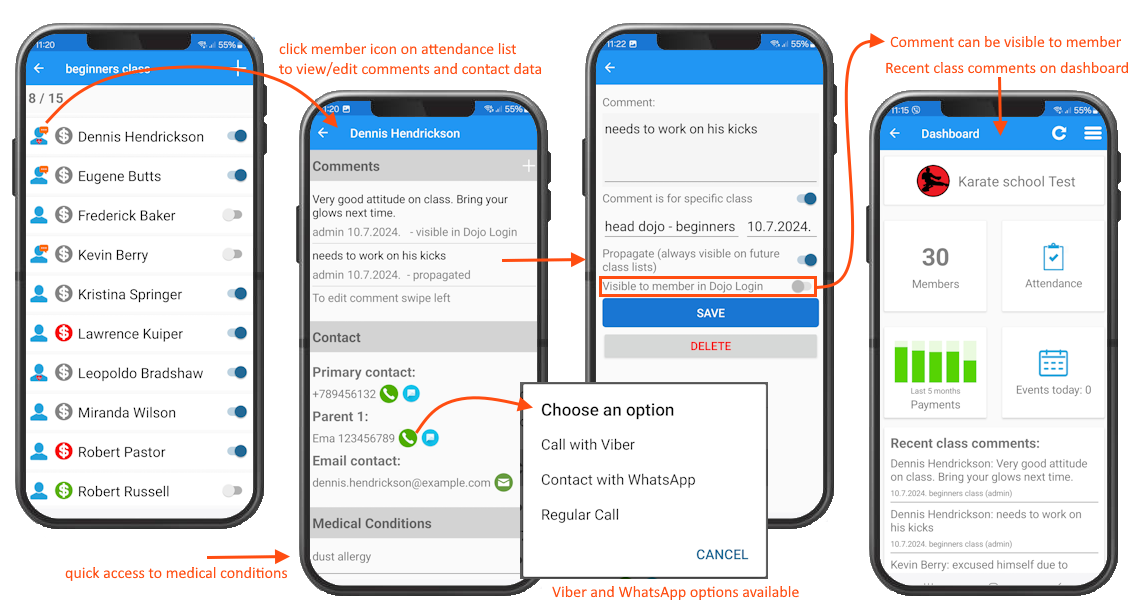
Find out more about this feature here: New feature: Class comments
New shortcuts menu
May 13, 2024
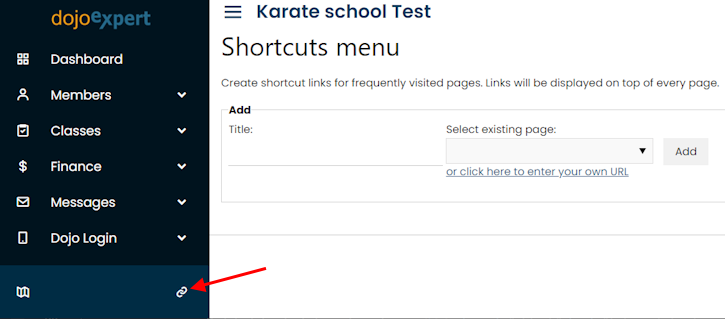
Create your own shortcuts menu, including links to external websites.
Account setup wizards
May 9, 2024
We created setup wizards to help new customers get started with DojoExpert. Click the wizard icon in the main menu. The form wizard also helps existing customers choose the right type of online form.
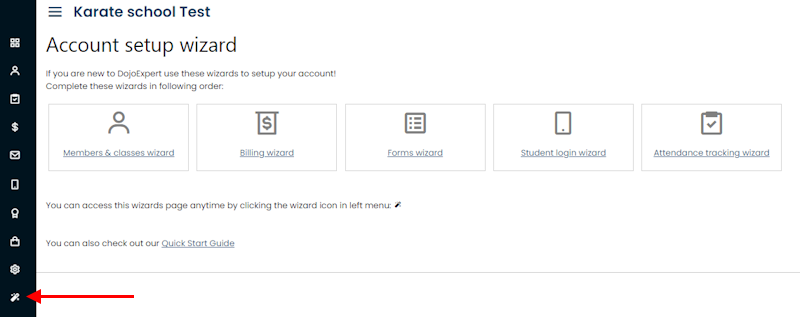
Available wizards:
- Members & classes wizard
- Billing wizard
- Forms wizard
- Student login wizard
- Attendance tracking wizard
Leads fields and forms update
March 12, 2024
We added two lead fields: class date and trial done. Use them to record when a lead is scheduled to attend a trial class and whether they attended:
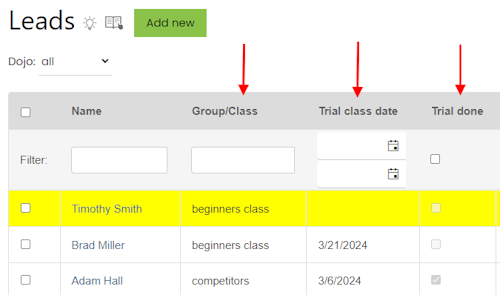
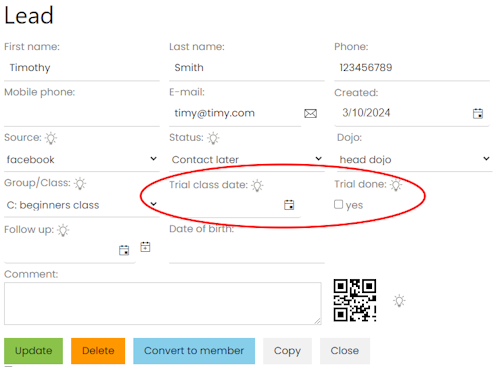
These fields can be filled through a lead form, which now offers improved class selection:
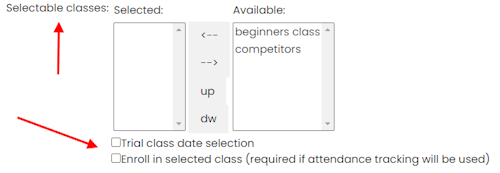
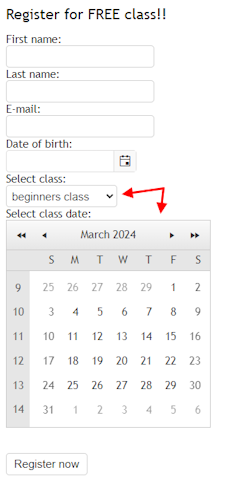
Let users choose a trial class date. The calendar displays available dates from your schedule. If no schedule is defined, all dates are selectable. Example:
Confirmation email templates can now include {class} and {classdate} to insert the corresponding field values.
Updated leads tutorial is here: Leads tutorial.
New email sending procedures and monitor
February 25, 2024
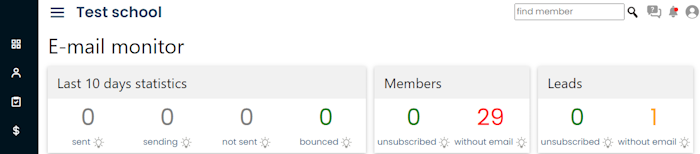
We introduced new procedures for bounced emails to reduce spam and improve delivery. The new Email monitor page explains the sending policy and lets you monitor delivery.
Redirect to waiver from forms
November 30, 2023
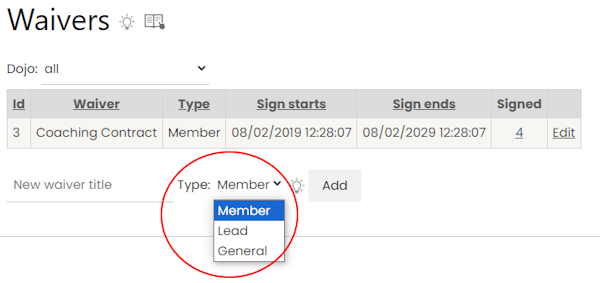
Event registration, class booking, and lead forms can now redirect users to a waiver for signing. A new "general" waiver type allows anyone to sign, without a member or lead record:
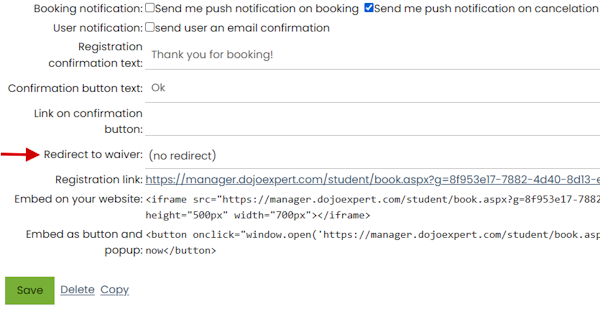
Find the waiver redirection setting in your form settings:
Updated waiver tutorial is here: Waivers tutorial. Waivers are part of the Ultimate plan.
Bulk management of Stripe subscriptions
October 8, 2023
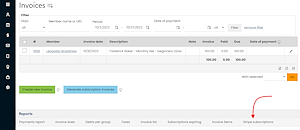
Stripe integration now lets you view, update, pause, and add subscriptions in bulk.
Find this page at the bottom of the Invoices page.
Leads in classes
August 31, 2023
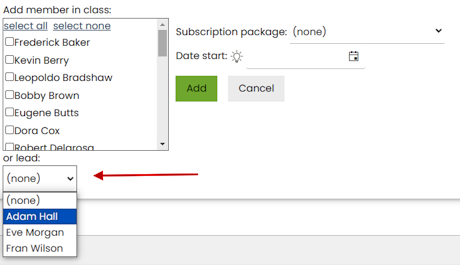
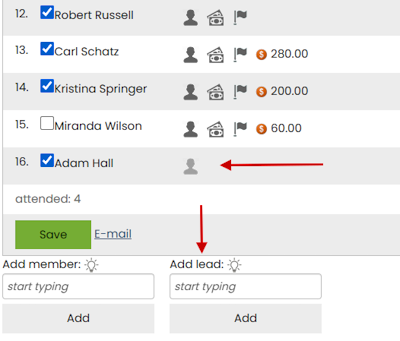
Now you can enroll leads into classes! This means you can take attendance for leads and book them for classes.
Find this feature in a lead's profile:
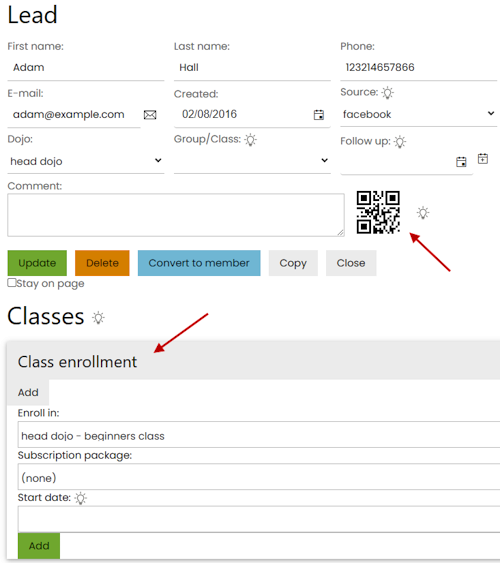
Email check-in QR codes using {qr}.
You can also enroll leads on the classes page:
This will enable you to take attendance for leads and members:
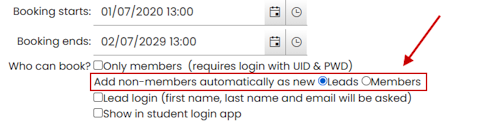
Booking forms can now be used to collect leads and book classes - find this option in your booking form:
You can add leads manually to your bookings the same way you do for members:
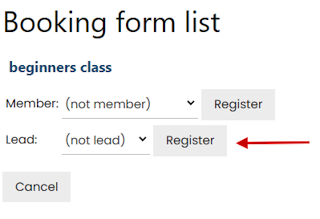
The mobile app also supports enrolling leads in classes and recording their attendance. Update the DojoExpert app to version 8.0 to use these features.
Bulk insert and delete
June 6, 2023
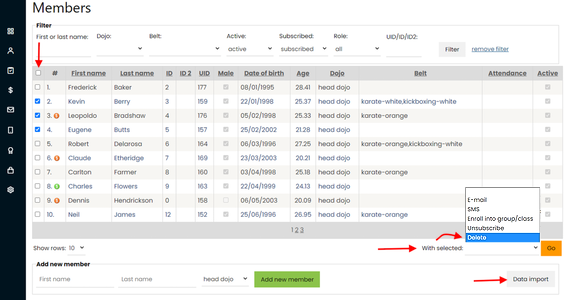
Import records into your member database or delete multiple members by selecting them and using the "delete" bulk action. Bulk deletion is also available in advanced filtering.
Custom fields update
May 11, 2023
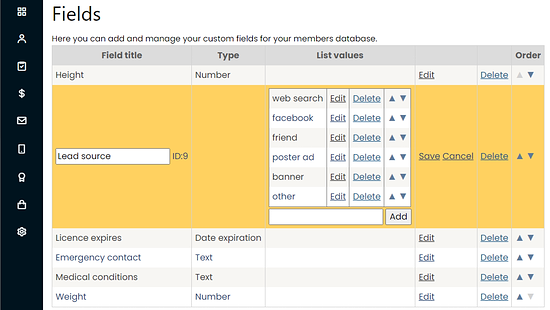
Custom fields let you add text, number, date, or list fields to member and lead records. List fields now support reordering and editing items.
New design
March 3, 2023
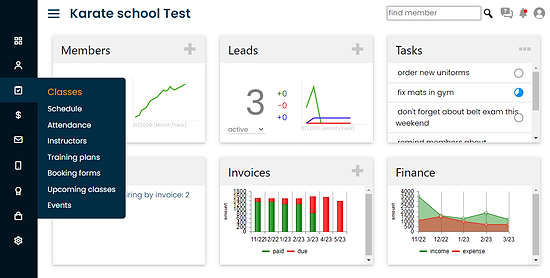
A more modern design for our web app:
Older updates list